
Cybersecurity Guide for Remote Employees in Digital Advertising
 By Stephen Pedder
 Remote employees in digital advertising face unique cybersecurity risks, including phishing attacks and AI-generated deepfakes. Employers must take an active role in protecting their teams with the right tools, training, and protocols to maintain client trust.
In marketing and advertising, successful creative work relies on trust. Clients hand over their data, their brand, and their budgets, and expect agencies to protect all of it.
However, the rise of remote work has made ad agencies particularly vulnerable to cybersecurity threats. In fact, remote employees often face greater security risks than on-site workers because they have weaker security infrastructure and fewer guardrails.
How you manage cybersecurity affects your industry reputation, your clients, and your ability to attract talent. Here’s how to manage remote work cybersecurity effectively.
Why Does Cybersecurity Matter for Remote Employees?
Cybersecurity matters for remote employees because a single breach can compromise client data, violate data regulations, and permanently damage your agency’s reputation.
After all, no business wants to partner with an advertising agency with a history of data breaches. And make no mistake, breaches are more common (and more costly) than agencies expect.
According to IBM’s Cost of a Data Breach Report 2025:
- The global average cost of a data breach is $4.44 million
- Phishing accounts for 16% of all breaches, averaging $4.8 million per incident
- Malicious insider attacks are the costliest, costing an average of $4.92 million per incident
- Around 13% of organizations reported breaches involving AI models or applications
- One in six data breaches now involves AI-driven attacks, often involving AI-generated phishing and deepfake impersonation
- 30% of breaches stemmed from data scattered across multiple environments (a risk that compounds when employees work across personal and company devices)
Quick note: In Canada, the Personal Information Protection and Electronic Documents Act (PIPEDA) requires private companies to collect, use, and disclose personal information responsibly. A remote team doesn’t exempt you from that obligation.
Non-compliance may lead to legal action and fines of up to $100,000.
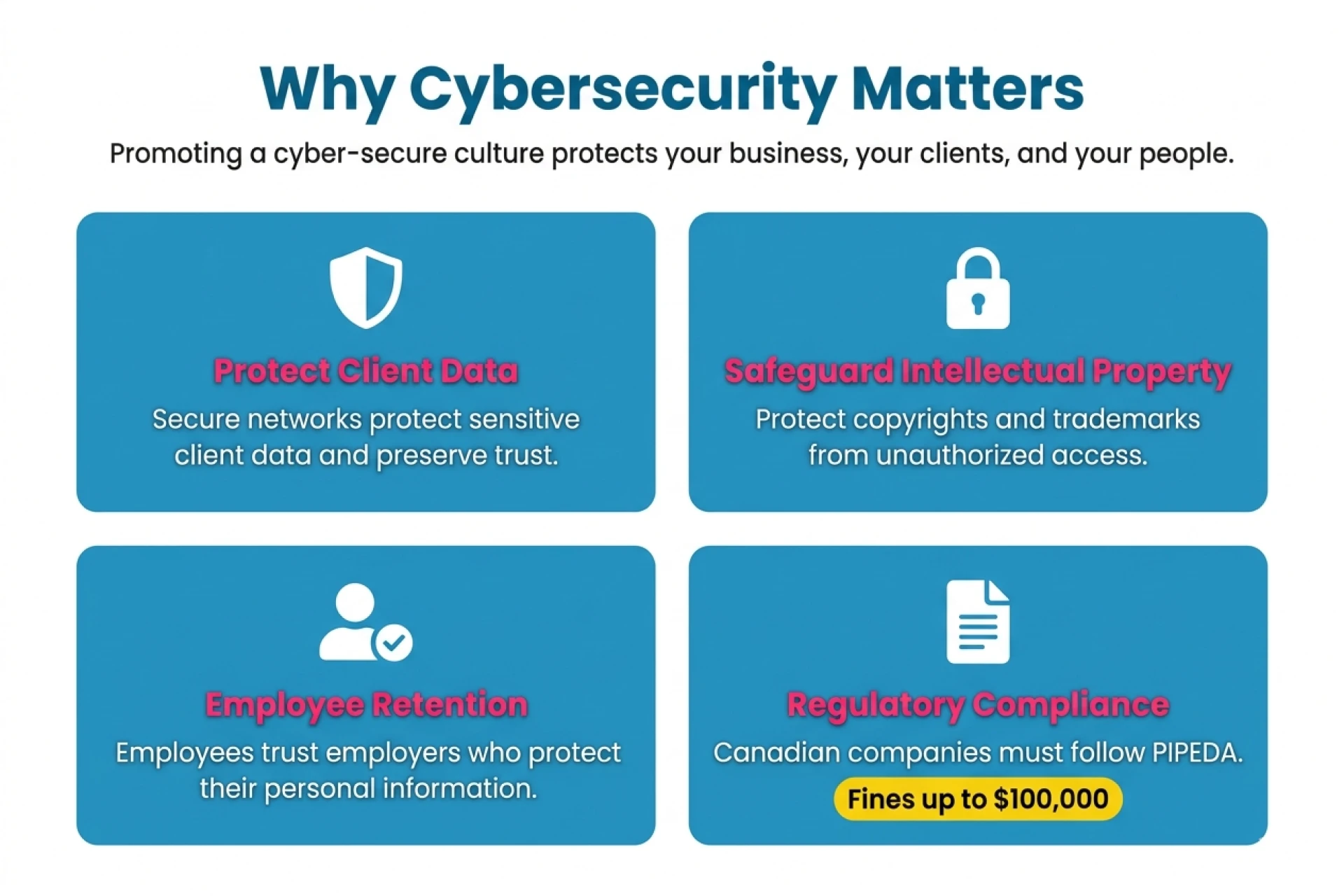
Image Source: Gemini, 2026
What Are the Risks of BYOD in a Hybrid Work Environment?
Bring Your Own Device (BYOD) policies create security gaps when employees use unsecured personal laptops and phones to access client accounts and campaign data. This exposes your agency’s system to:
- Data leaks and unauthorized access
- Spread of malware infections (personal to work environments or vice versa)
- Unmonitored storage of client data on personal or unsanctioned cloud accounts
- Credential theft from shared browsers and unsanctioned cloud accounts
- Compliance violations under PIPEDA
⚠️Beyond that, with AI use now standard in most agencies, unsecured personal devices create a new layer of risk. Employees accessing AI tools outside approved platforms can inadvertently expose client data through shadow AI.
| Building a remote team that takes security seriously starts with hiring the right people. Explore how Ad Culture helps agencies hire remote-ready talent. |
Best Practices for Cybersecurity: Work From Home Teams
The best practices for remote work cybersecurity require the right infrastructure, ongoing training, and clear protocols to stay ahead of threats. Here’s what every work-from-home team should have in place:
Implement Strong Password Policies
Strong passwords are the first line of defense against unauthorized access. Require complex, unique passwords for every account and encourage the use of a password manager to generate and securely store them.
⚠️Never reuse passwords across work and personal platforms (credential stuffing attacks rely on exactly that habit).
Use Multi-Factor Authentication
Multi-Factor Authentication (MFA) prevents unauthorized access even when passwords are compromised. It adds an additional layer of security (i.e., biometric authentication, one-time passcode, security questions) to the login process.
It’s one of the best remote-work cybersecurity principles for keeping client accounts and sensitive agency data accessible only to those who should have them.
Secure Wi-Fi Networks
An unsecured home network is among the most common entry points for cyberattacks on remote work cybersecurity. Employers should invest in reliable internet security software and require network encryption (e.g., Virtual Private Networks, or VPNs) across all devices used for work.
→ Read more: 6 Tips for Managing Remote Employees
Regularly Update Software
Outdated software is one of the most preventable remote work cybersecurity risks. Most breaches exploit vulnerabilities that would have been closed by available patches. Keep operating systems, antivirus programs, and all work applications up to date at all times.
Conduct Regular Security Training
Security training is the most effective way to reduce human error, the leading cause of data breaches. To protect your digital assets, provide remote employee cybersecurity training covering:
- Network security basics
- How to configure security settings
- How to spot AI-generated phishing scams
- How to recognize deepfake audio and video
- How to respond to social engineering attempts that look increasingly legitimate
Tip: Include cybersecurity in your employee onboarding process! Prepare materials and a list of approved tools in advance, so every new remote hire knows exactly what to use and what to avoid from day one.
Use Encrypted Communication Tools
End-to-end encryption is the most reliable way to protect emails, messages, and video conferences from interception. Not all communication platforms offer this by default. Ensure every remote employee uses only approved, encrypted tools for any conversation that touches client or agency data.
Backup Data Regularly
Regular data backups are the fastest way to recover from a cyberattack, human error, or system failure. Make backups part of your standard remote work operating procedure, and store copies in a secure, encrypted location separate from your primary systems.
Image source: Canva
Best Cybersecurity Tools for Remote Employees
To counter technological attacks, you need technological defenses. The right tools make cybersecurity manageable for every remote employee.
Below are our recommendations:
| Remote Work Cybersecurity Tools and Technologies | |
| Password Managers |
|
| Virtual Private Networks (VPNs) |
|
| Antivirus & Endpoint Protection |
|
| Secure Communication Platforms |
|
| MFA |
|
| Backup Solutions |
|
A secure remote team starts with the right hire.
Learn how Ad Culture screens candidates for remote-work readiness →
Key Takeaways: Remote Work Cybersecurity Checklist
- Use a password manager and never reuse passwords
- Enable MFA on all work applications
- Connect via VPN when accessing client or agency systems
- Keep devices updated with the latest patches and antivirus software
- Never store client data on personal devices or unsanctioned cloud accounts
- Only use agency-approved AI tools with client data
- Verify unexpected requests for credentials through a separate channel
- Use end-to-end encrypted communication platforms only
- Back up work data regularly to a secure, encrypted location
- Complete cybersecurity training at onboarding and quarterly, after that
Let’s chat
about building
your team!
FAQs
If your team uses personal devices for work, accesses client accounts over unsecured networks, or lacks a formal cybersecurity policy, your agency is at risk. A cybersecurity audit is the fastest way to identify gaps.
Shadow AI refers to employees’ use of unsanctioned AI tools outside approved platforms. When used with client data, these tools can expose sensitive information to unmonitored third-party systems, creating both security and compliance risks.
A recruitment agency like Ad Culture can help you screen security-conscious candidates who understand remote work protocols, fit your agency’s culture, and are equipped to handle sensitive client data responsibly.
Strong Cybersecurity Starts With the Right Hire
The best cybersecurity tool your agency has is a remote employee who knows what they’re doing. The tools, policies, and protocols only work if the remote employees behind them are trustworthy, trained, and aligned with your agency’s standards.
At Ad Culture, we ensure every remote employee on your team is skilled, reliable, and ready to work securely from day one. Connect with us today to hire remote-ready advertising professionals you can trust with your most sensitive client work.